COT-Reports
COT-Reports.com
COT-Reports
Spreadsheets · One-time purchase

Trading Journal Spreadsheet (Excel)

A complete Microsoft Excel trading journal with statistics, equity curve and drawdown analysis. Includes 2 PDF guides.

  • Excel .xlsm with macros
  • Excel 2019+ · Windows and Mac
  • 2 PDF guides included
  • Instant download
In short

What is the Trading Journal Spreadsheet?

The Trading Journal Spreadsheet is a Microsoft Excel workbook (.xlsm) for futures, forex and stock traders. You enter each trade; the statistics, the equity curve and the P&L calendar update by themselves. It also has a funded-account profit-split calculator. It runs in Excel 2019 or newer on Windows and in a current Excel for Mac, not in Excel for the web.

ABOUT THIS PRODUCT

What Trading Journal Spreadsheet (Excel) actually does.

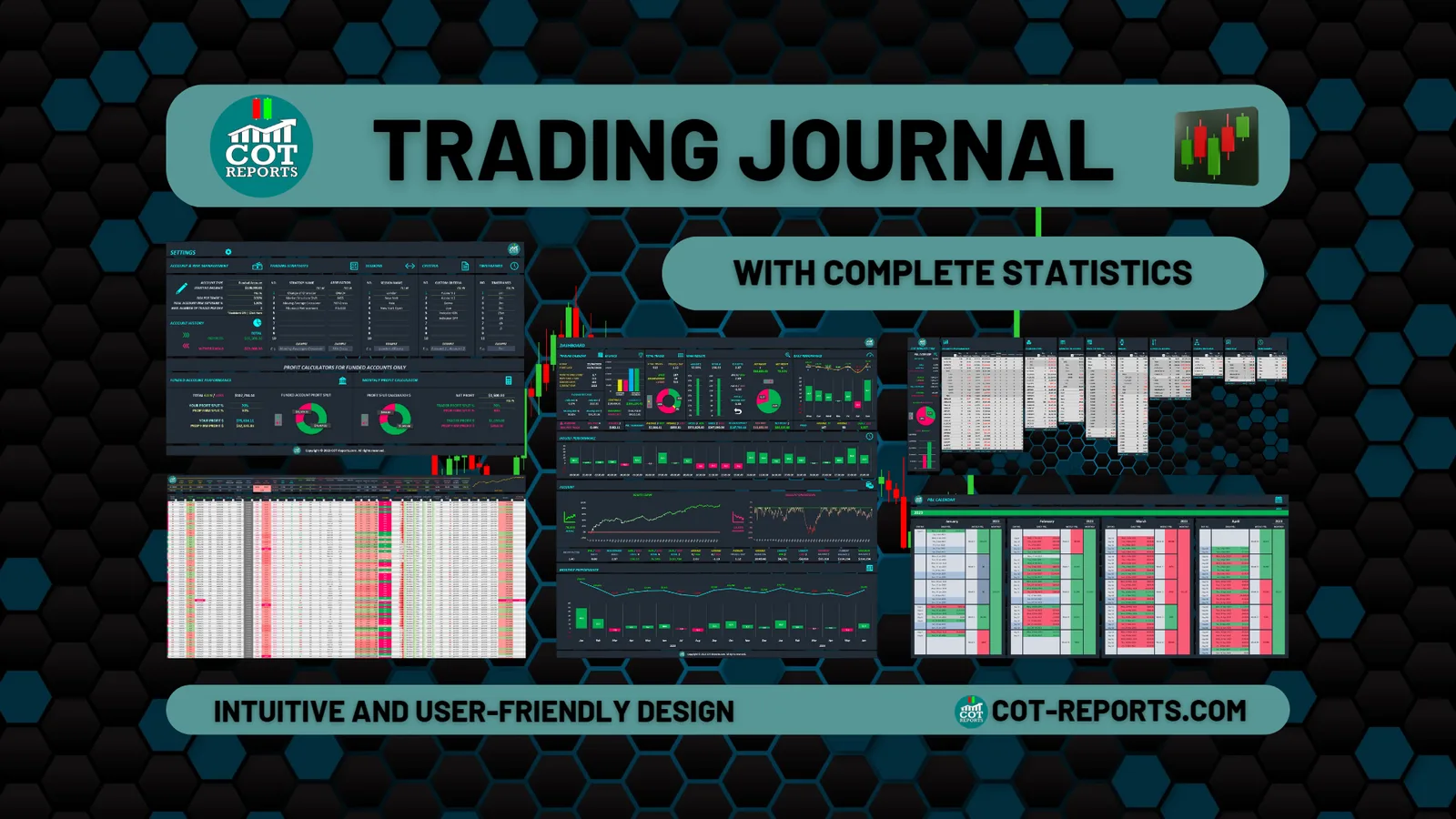
Microsoft Excel (.xlsm) trading journal built for active futures, forex and stocks traders. Track every trade with auto-calculated PnL, win-rate, R-multiple, drawdown and equity curve. Side-tabs for a dashboard, complete statistics, a P&L calendar and a funded-account profit-split calculator. Bundle includes two PDFs (User Guide and Features Overview). The unlock password of the workbook ships in the welcome email, so you can start journaling immediately after purchase.

Trading Journal Spreadsheet (Excel) — preview 1

The figures in the pictures on this page only show how the journal works — they are not a promise of results. Trading involves risk. Risk disclosure

WHAT'S INCLUDED

What you get.

  • Microsoft Excel .xlsm with macros — Excel 2019 or newer on Windows, incl. Microsoft 365; also a current Excel for Mac
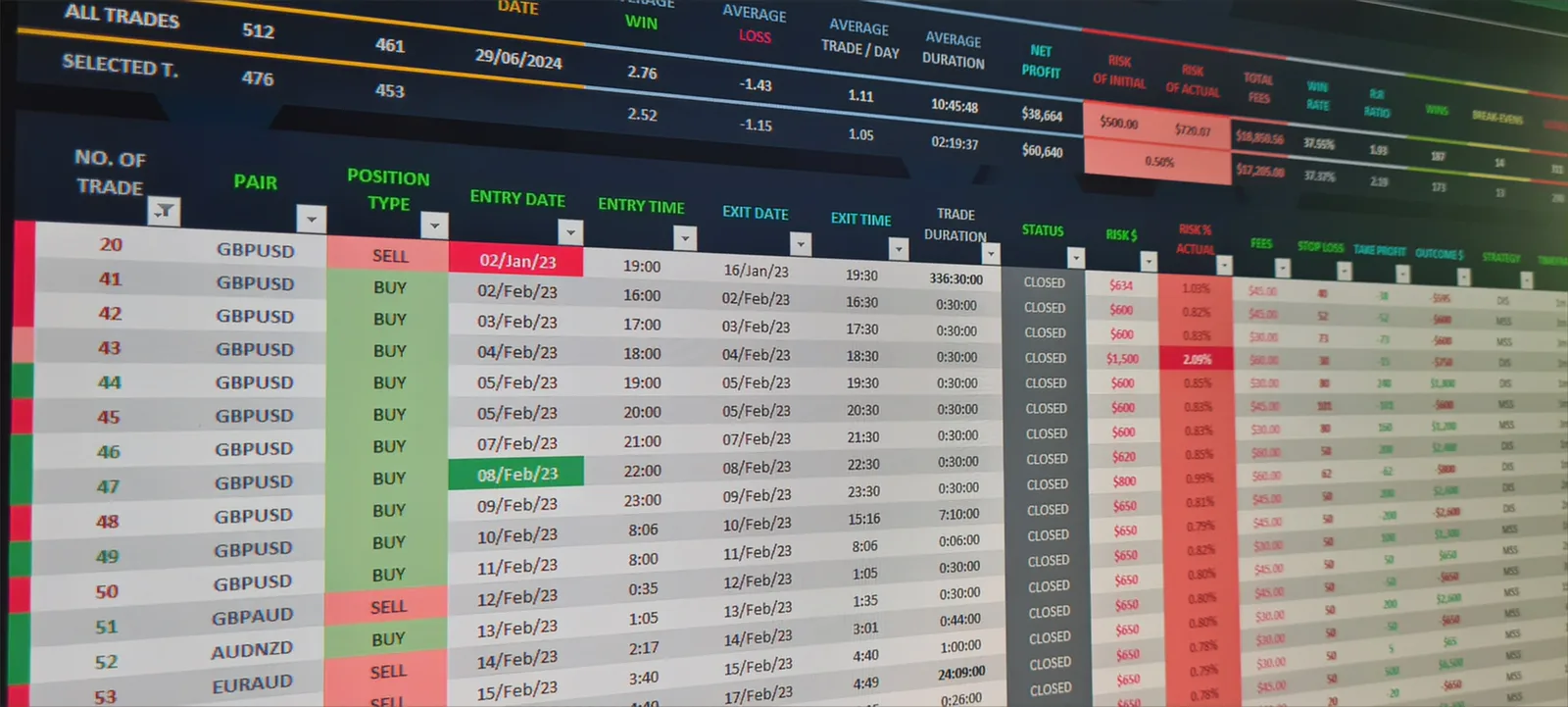
  • Auto-calculated statistics: win-rate, R-multiple, drawdown
  • Equity curve and monthly performance breakdown
  • P&L calendar tab and a funded-account profit-split calculator
  • User Guide PDF + Features Overview PDF included
  • Workbook unlock password delivered in the purchase email
  • One-time payment — no subscriptions or hidden fees
Trading Journal Spreadsheet (Excel) — preview 2
COMPATIBILITY

Supported platforms.

Microsoft Excel 2019+2019 · 2021 · 2024 · Microsoft 365 — Windows · Excel for Mac
  • Works with Microsoft Excel 2019 · 2021 · 2024 · Microsoft 365 on Windows.
  • Also runs in a current Excel for Mac, with macros enabled.
  • Not for Excel for the web: it doesn't run the macros.
  • Don't have Microsoft Excel? Get it from Microsoft or an authorised retailer.
  • Have questions? We're here to help. Contact us anytime.

Before the first open

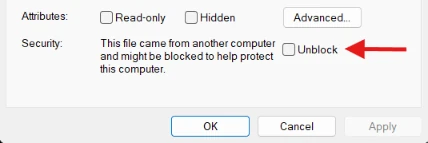
These steps are for Windows. Windows blocks the macros in files downloaded from the internet. Unblock the file once, before you open it:

  1. Right-click the downloaded file and choose Properties.

  2. At the bottom, next to Security, tick Unblock, then click OK.Windows file Properties dialog: at the bottom, next to Security, the Unblock checkbox marked with a red arrow, and the OK button.

  3. Open the file in Excel. If a yellow bar says the macros have been disabled, click Enable Content.

It is for you if

  • You log futures, forex or stock trades and want the statistics done for you.
  • You trade a funded account and want the profit split worked out.

It is not for you if

  • You only have Excel for the web: it does not run the macros.
  • You want trades imported from your platform automatically — TradeLog’s auto-sync plans do that.
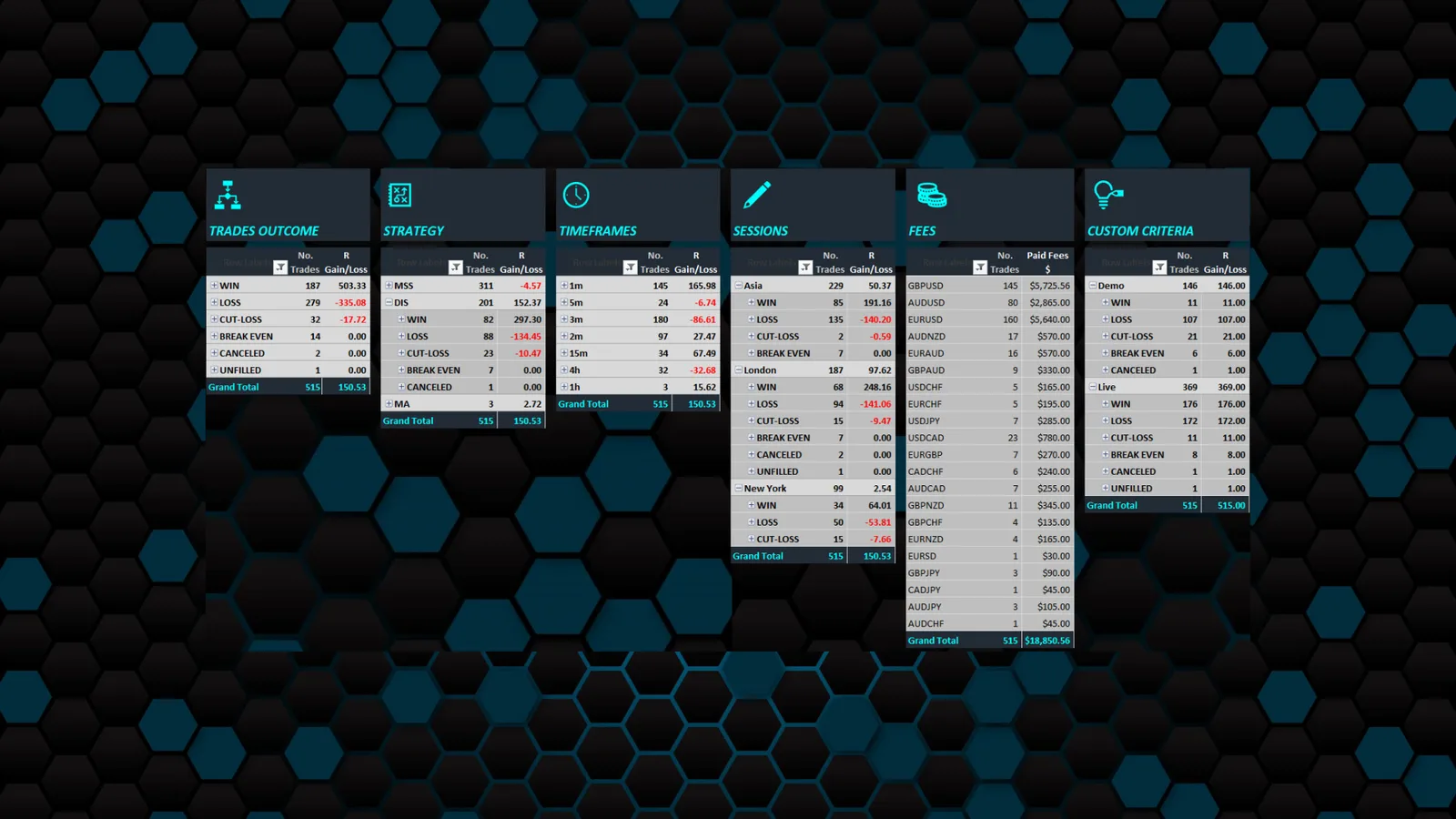
Trading Journal Spreadsheet (Excel) — preview 3
After you pay

From payment to your file.

  1. Pay on StripeBy card or PayPal, on Stripe’s secure page.
  2. Download from your order pageIt opens with the download button as soon as the payment is confirmed — usually within seconds.
  3. The link is in your e-mail tooThe purchase confirmation e-mail has the same download button.
  4. Download it again laterFrom your account → Purchase History: 3 downloads in all, within 30 days of the purchase.
WANT A FULL JOURNAL APP?

Try TradeLog — the pro sibling of this spreadsheet.

Auto-sync from MT4/MT5, NinjaTrader, cTrader and more. Prop-firm tracking, multi-account analytics, mobile + web. Plans from $9/mo, auto-sync from $19/mo.

See TradeLog
FAQ

Frequently Asked Questions

Can’t find your answer? Write to contact@cot-reports.com and include your order ID if it’s about a purchase.

Does it work on a Mac or in Excel for the web?

Works with Microsoft Excel 2019 · 2021 · 2024 · Microsoft 365 on Windows. Also runs in a current Excel for Mac, with macros enabled. Not for Excel for the web: it doesn't run the macros.

Excel says the macros are blocked. What do I do?

Windows blocks the macros in files downloaded from the internet. Unblock the file once, before you open it: Right-click the downloaded file and choose Properties. At the bottom, next to Security, tick Unblock, then click OK. Open the file in Excel. If a yellow bar says the macros have been disabled, click Enable Content.

How do I unlock the workbook?

The unlock password is in the welcome e-mail we send right after your purchase, and on your order page.

Can I share the file with someone else?

Licensed for personal use only — not for resale or redistribution.

Licensed for personal use only — not for resale or redistribution.

Trading involves substantial risk of loss. The tools, robots and data sold here support your own decisions — they are not investment advice and do not guarantee results. Any performance figures shown are hypothetical unless stated otherwise (CFTC Rule 4.41). Risk disclosure

More from the marketplace

Similar products in the marketplace.

Tools that work alongside this one — COT data, spreadsheets, guides, the TradeLog journal and Guardian risk robots (coming soon). COT-Reports builds its own products; a third-party product is listed only after we approve it.

View all 11 products
1–4 / 10
TradeLog
Pro trading journal
TradeLog
Pro Journal
Subscription
Also a trading journal
ServiceAll PlatformsSubscription

TradeLog — Pro Trading Journal

The sibling app to COT-Reports: auto-syncs trades from MT4/MT5, cTrader, NinjaTrader, Tradovate and Rithmic. Analytics, prop-firm tracking, multi-account.

From
$9/mo
Web app

TradeLog
cTradercBot
Guardian
cTrader
COMING SOON
Pairs with your journal
cBotcTraderOne-time

TradeLog Guardian — cTrader

An on-chart position-size calculator and automatic risk guard for cTrader. Size every trade from your stop-loss and cap your risk automatically.

Launching
Soon
Official TradeLog product
TradeLog
MetaTrader 4Expert Advisor
Guardian
MetaTrader 4
COMING SOON
Pairs with your journal
Expert AdvisorMT4One-time

TradeLog Guardian — MT4

An on-chart position-size calculator and automatic risk guard for MetaTrader 4. Size every trade from your stop-loss and cap your risk automatically.

Launching
Soon
Official TradeLog product
TradeLog
MetaTrader 5Expert Advisor
Guardian
MetaTrader 5
COMING SOON
Pairs with your journal
Expert AdvisorMT5One-time

TradeLog Guardian — MT5

An on-chart position-size calculator and automatic risk guard for MetaTrader 5. Size every trade from your stop-loss and cap your risk automatically.

Launching
Soon
Official TradeLog product
TradeLog
NinjaTraderAdd-on
Guardian
NinjaTrader 8
COMING SOON
Pairs with your journal
Add-onNT8One-time

TradeLog Guardian — NinjaTrader

An on-chart position-size calculator and automatic risk guard for NinjaTrader 8. Size every trade from your stop and keep every open position inside your risk.

Launching
Soon
Official TradeLog product
COT-Reports
PDFOne-page reference
COT
Cheat Sheet
Free
Free
PDFFree

Free COT Cheat Sheet

A one-page reference guide explaining all COT trader categories, report types, and key terms. Perfect for beginners.

PRICE
FREE
Instant download
COT-Reports
ExcelCFTC data refreshed on open
COT Data
Spreadsheet
Excel−34%
Also by COT-Reports
SpreadsheetExcelOne-time

COT Data Spreadsheet

A pre-configured Microsoft Excel template that pulls live CFTC data on open: the latest week of every market plus ~10 years of the market you pick.

PRICE
$39$59
Secure checkout by StripeInstant download
COT-Reports
Course · beginners welcome
How to Read
the Simplified COT Report
Complete guide−21%
Also by COT-Reports
CourseWebOne-time

How to Read the Simplified COT Report — The Complete Guide

A step-by-step guide to reading and interpreting the CFTC Commitments of Traders (COT) reports, right here on the site with live examples. Beginners welcome.

PRICE
$23$29
Secure checkout by StripeInstant access
COT-Reports
JSONJSON · Bearer auth
COT Data
API
REST API
Also by COT-Reports
DataREST / JSONSubscription

COT Data API

REST API for the entire CFTC Commitments of Traders dataset. Bearer auth, JSON responses, a monthly subscription.

PRICE
$9.99/mo
Secure checkout by StripeInstant API access
COT-Reports
CSVCSV + NDJSON
COT Data Dump
1986 → today
2 variants
Also by COT-Reports
DataCSV + NDJSONOne-time

COT Data Dump

All four CFTC Commitments of Traders report families, every market, every week (Legacy back to 1986) — in two archives, one per CFTC variant, each in CSV and NDJSON.

From
$49
Both archives $69 · save $29Instant download